
“We run our whole HR team out of Notion. PDF Maker turned our employee database into one-click ID cards and offer letters. Massive time saver.”
S
Sarah K.
People Ops Lead

 Notion + PDF Maker
Connect Notion to PDF Maker in one click. Design a template, map your database properties, and generate polished PDFs on demand — with live data, custom file names, and dynamic images.
PDF MakerTemplates/Employee ProfileData source

Employee Directory
Notion
Records · 24
Employee Profile
ID · Confidential · Nov 2026
Notion fields
• Connection & security
PDF Maker uses Notion's official OAuth flow. When you connect, Notion asks you to explicitly pick which pages or databases to grant access to. Everything else in your workspace stays private.
Only the pages you approve
PDF Maker can read only the specific Notion pages or databases you check during the OAuth flow.
Revoke anytime, from Notion
Access lives with Notion. Remove PDF Maker from your Notion Connections settings and the link is instantly cut.
HIPAA & GDPR compliant
Enterprise-grade encryption in transit and at rest. Your Notion data is never sold, shared, or used for training.
NotionChoose the pages PDF Maker can read from your workspace.
Watch it work
·The Flow
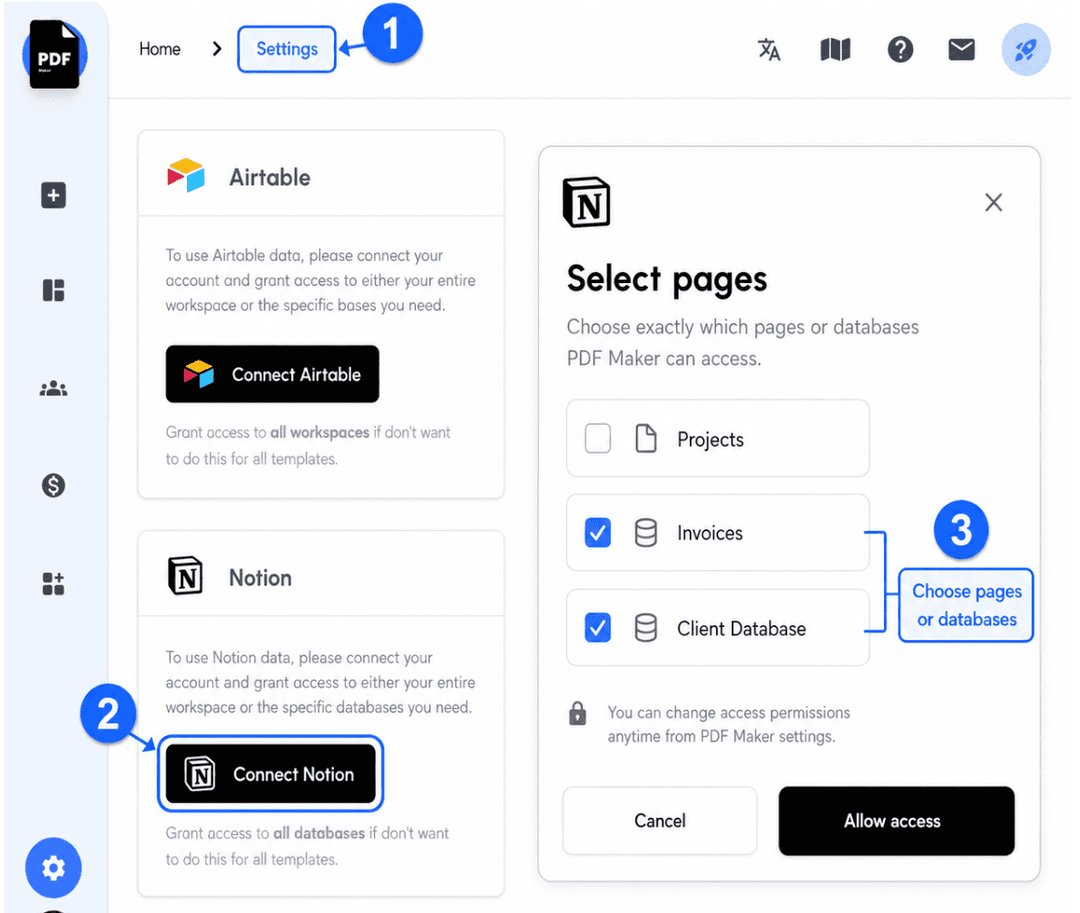
Open PDF Maker, go to Settings, and click the Connect Notion button. Notion opens its permissions dialog, and you pick exactly which pages or databases PDF Maker can read.
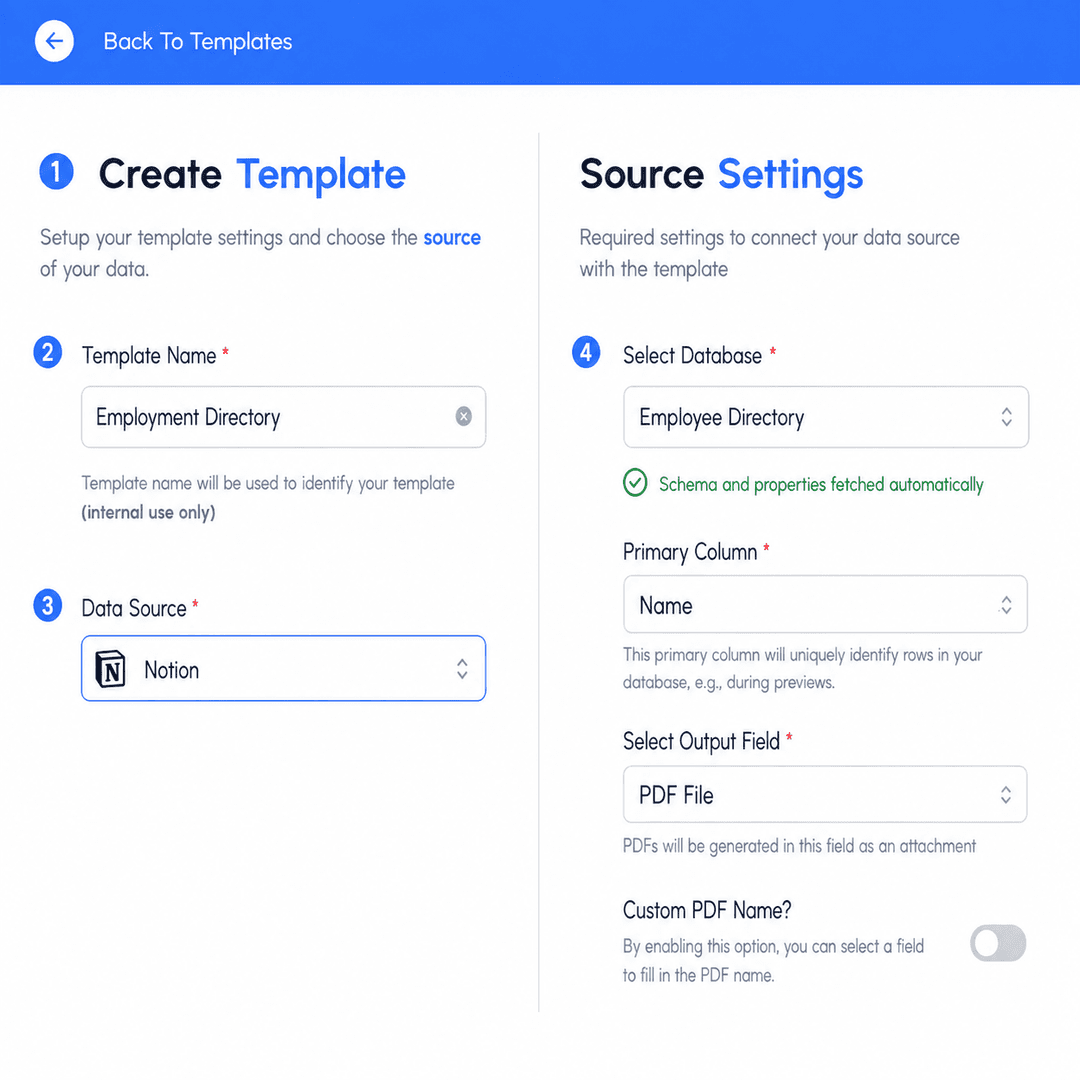
Go to the Templates tab, click Create Template, name it, and pick Notion as the source. Choose the specific database — PDF Maker fetches its schema and property list automatically.
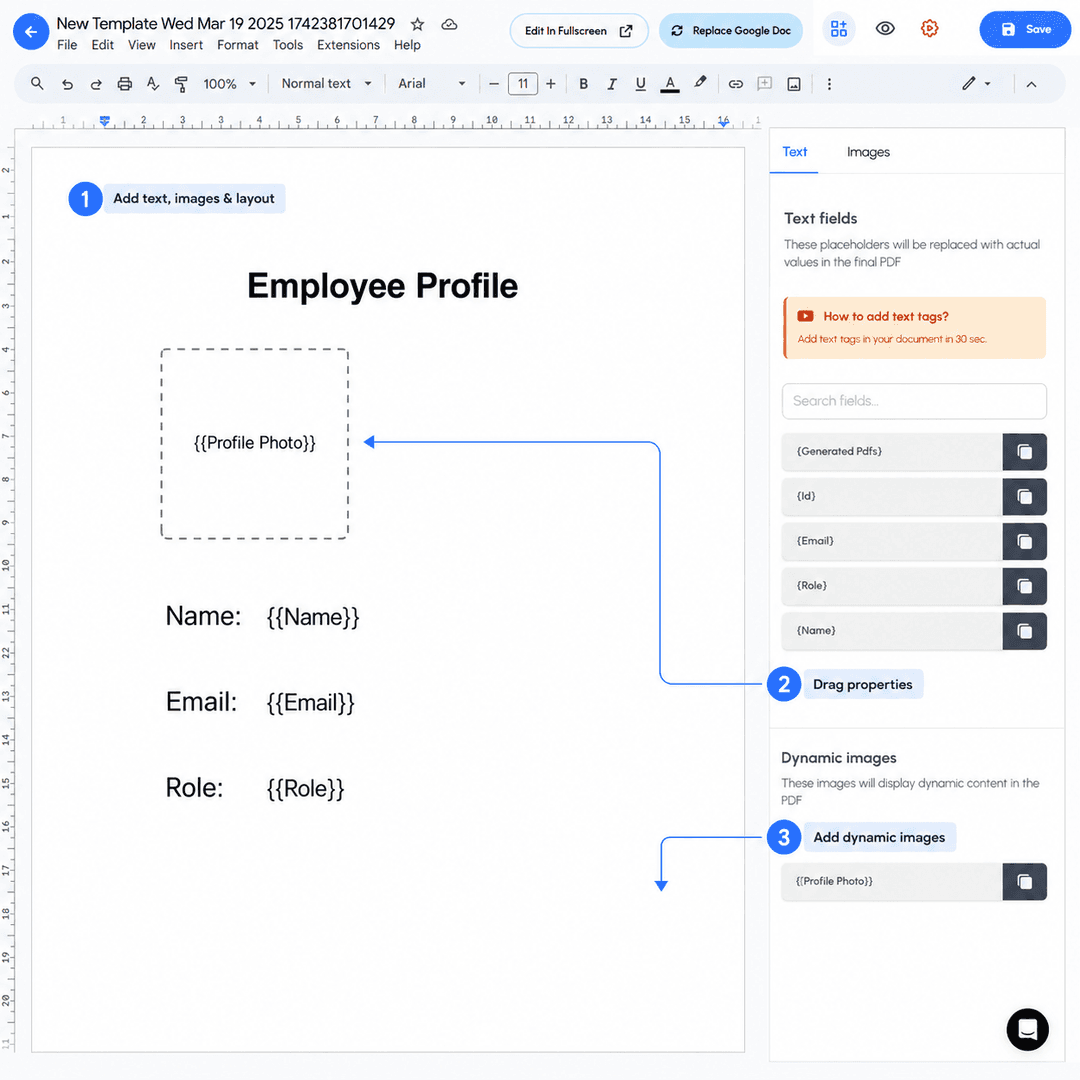
The editor opens with a blank canvas. Add your text, images, and layout — then drag Notion properties from the sidebar to insert placeholders like {{Name}}, {{Email}}, and {{Role}}. Add dynamic images from Notion files.
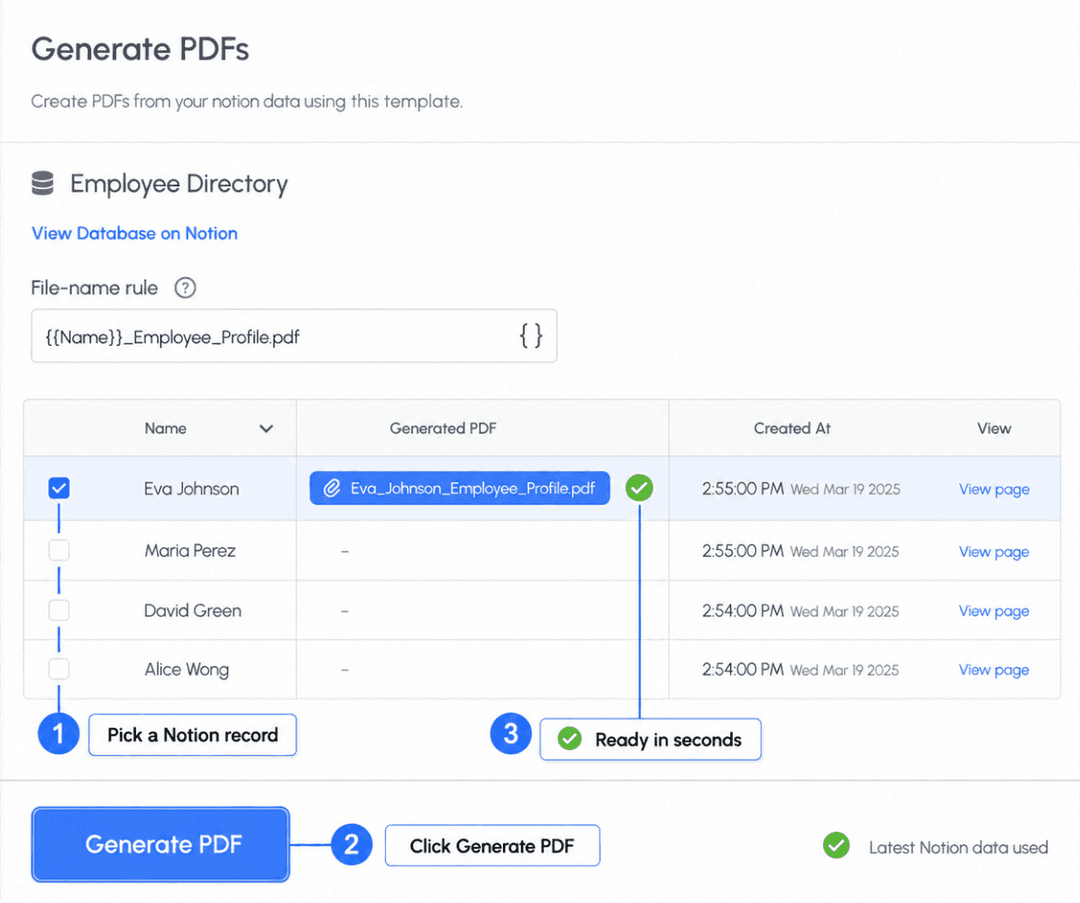
Pick a record from the Notion database and click Generate PDF. Your PDF is ready in seconds — populated with the latest data straight from Notion, and named with your custom file-name rule.
The complete tutorial
Official guide
The full step-by-step walkthrough with screenshots — from clicking Connect Notion to generating your first PDF. Written for beginners, but covers every setting a power user might need.
Your entire template lives inside PDF Maker's own visual editor. No jumping between tools, no external dependencies, no context switching. Just Notion on one side, your PDF template on the other.
Blank canvas start — build the layout you actually want, not what a template forces on you.
Drag Notion properties in — the sidebar shows every property from your connected database.
Live preview — see resolved Notion data as you design, not just after generating.
Version-safe — templates are versioned so you can roll back if a change breaks something.
Employee Profile
Drag →
Trusted by Notion teams
3,000+
Notion teams
1M+
PDFs generated
4.9★
Average rating
5–10s
Per PDF, on average
“We run our whole HR team out of Notion. PDF Maker turned our employee database into one-click ID cards and offer letters. Massive time saver.”
Sarah K.
People Ops Lead
“Set up in 10 minutes. Every project in our Notion database now auto-generates a client-ready PDF report. We've dropped our reporting overhead by 80%.”
Marcus D.
Founder, Agency
“Custom PDF naming was the killer feature for me. Every generated invoice is named with the client and order ID — no more renaming files by hand.”
Rachel T.
Operations Manager
FAQ
• Connect now
Connect in one click. Design a template. Generate your first PDF in under five minutes.
Free plan · 20 PDFs · No credit card