500 records = 1 batch jobMulti-page contracts & reportsFull Airtable Automation supportNative e-signatures via DocuSign
Stop the manual clicks · Automate today
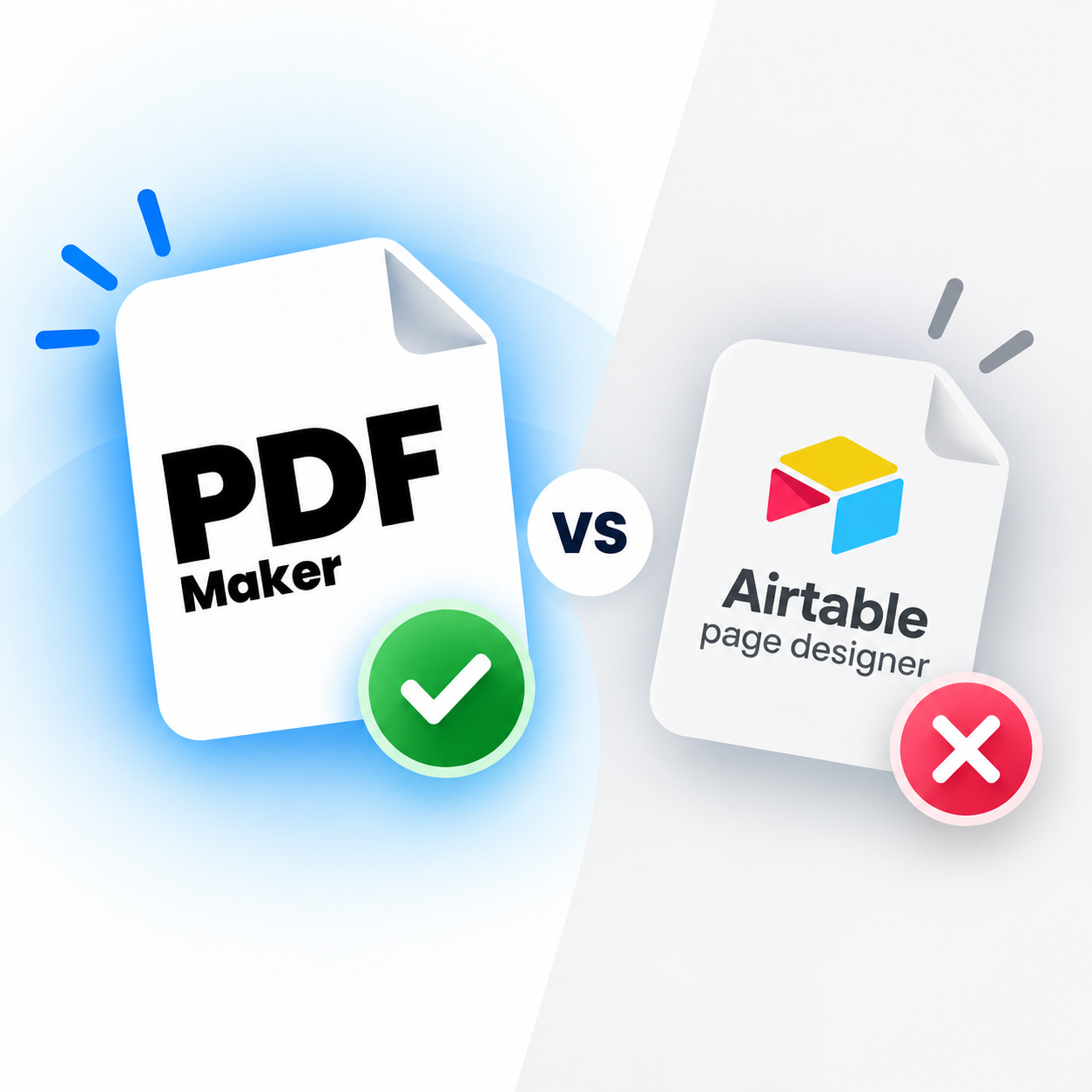
Airtable Page Designer Alternative — Multi-Record, Multi-Page & Fully Automated
Print 500 records in one batch job — not 500 manual clicks. Multi-page contracts, dynamic line items, Airtable Automation triggers, e-signatures. Everything Page Designer 2.0 was supposed to be. Free 20 PDFs, no credit card.
No credit card20 free PDFsSetup under 5 minHIPAA & GDPR
Quick Answer
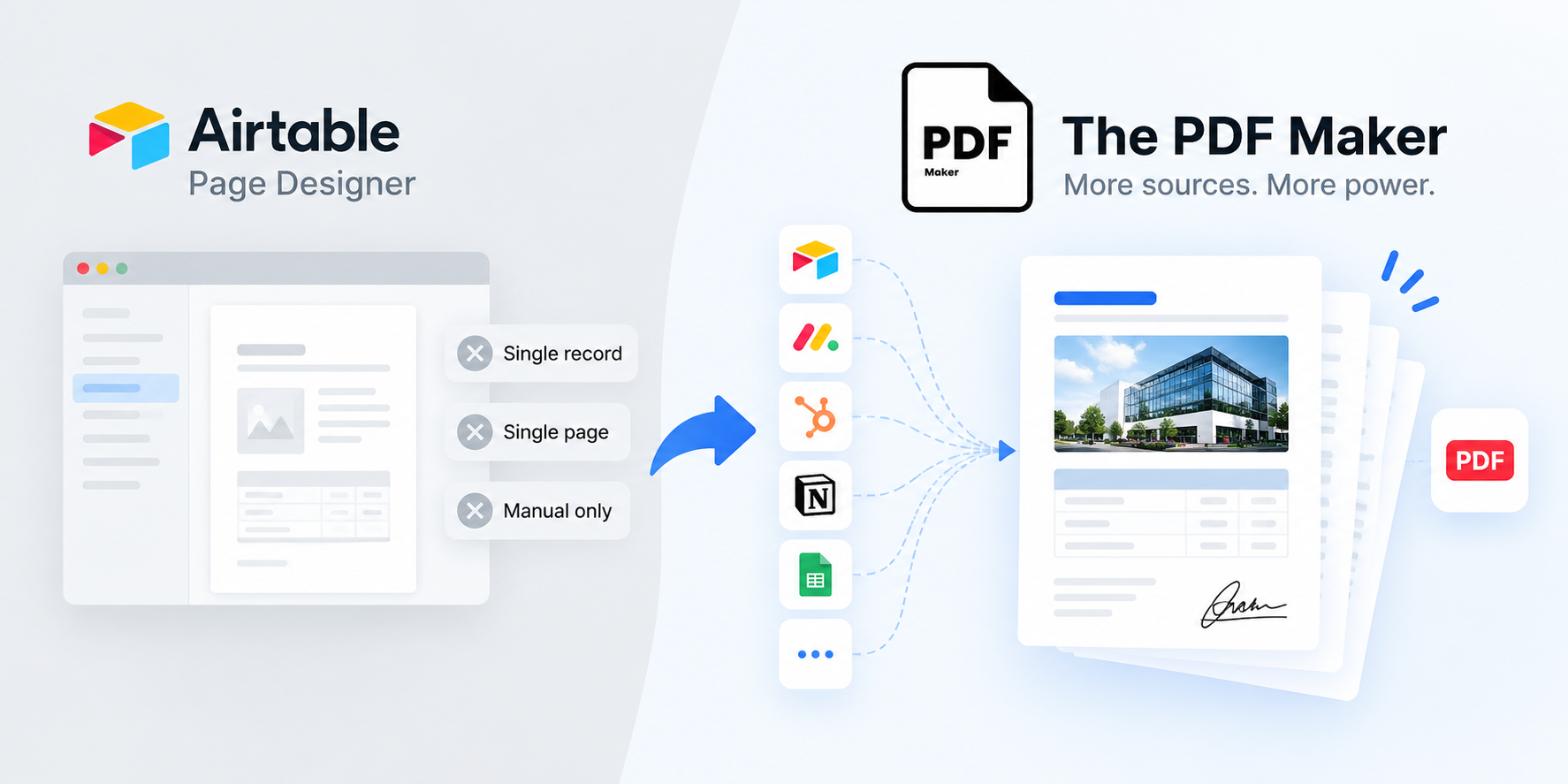
The PDF Maker is a leading Airtable Page Designer alternative in 2026, trusted by 5,000+ businesses generating 1M+ documents monthly. It handles everything Page Designer cannot: batch generation for 500+ records in one job (not 500 manual clicks), multi-page documents (contracts, reports, proposals), dynamic line items and tables, full Airtable Automation triggers (button field, automation script, API), conditional logic, and native e-signature integration via DocuSign, Adobe Sign, and LeadConnector. Free 20 PDFs, no credit card — no need to keep waiting for Page Designer 2.0.
1M+
Documents generated
85%
Time saved on avg.
5,000+
Active businesses
4.8/5
Capterra rating
Test it before you switch
See it work with your Airtable data
Pick a document type, edit any field, and see the PDF regenerate live. Now imagine this triggered by an Airtable Button field, an Automation, or across every record in a view — with a single click. That's what Page Designer can't do.
1Where's your data?
2What are you making?
3Edit any field — see it update
Live preview • No signup • No credit card
Acme Corp
Data from Airtable
INVOICE
#INV-2026-042
Aug 13, 2026
Due: Net 30
Bill To
Acme Corp
123 Business Ave
Suite 400
New York, NY 10001
From
Your Business
456 Enterprise Way
San Francisco, CA 94102
Item
Qty
Rate
Amount
Professional Services
40
$85
$3,400
Software License
1
$1,200
$1,200
Setup & Configuration
1
$300
$300
Subtotal$4,900.00
Tax (0%)$0.00
Total$4,900.00
Generated by The PDF Maker · Data pulled from Airtable
Feature-by-feature
How does The PDF Maker compare to Airtable Page Designer?
Every capability below is verifiable in Airtable's own documentation and community forums. Where Page Designer wins, we say so.
You generate under 10 records per month and don't mind clicking through each one manually
Your documents are always single-page and always one record per PDF (single business cards, ID cards, simple product sheets)
You never need automation — every PDF is generated by hand, one at a time, when needed
You don't need line items that grow with data (invoices with variable line counts, packing slips)
You don't need e-signatures and are OK exporting to DocuSign manually
You prefer a simple visual grid editor and don't want to learn Google Docs merge tags
Page Designer is included with your Airtable plan and cost is the deciding factor
RECOMMENDED
Choose The PDF Maker if…
Most teams outgrow Page Designer within their first quarter of real usage.
You've clicked through more than 20 records manually in a single sitting and thought "there has to be a better way"
You need multi-page contracts, reports, or proposals — anything Page Designer's single-page limit blocks
You need dynamic line items — invoices, packing slips, quotes with variable row counts
You want Airtable Automations to trigger PDFs automatically (new order → generate invoice → email customer)
You need e-signatures integrated into the workflow (DocuSign, Adobe Sign, LeadConnector)
You're tired of waiting for Page Designer 2.0 that Airtable hasn't committed to
You want to test with your real Airtable data in the browser before creating any account
Real problems, real fixes
Why do teams switch from Page Designer?
The four moments where Airtable's built-in extension hits a wall.
"500 records = 500 manual clicks"
Page Designer prints one record at a time. Need to print all this month's invoices? Click the record. Click print. Wait. Save. Click the next record. Click print. Wait. Save. Multiply by 500 records and the manual overhead becomes the whole job. Deloitte estimates 80% of that time is pure waste.
The PDF Maker generates PDFs for every record in a view in one batch job. 500 records = one click. Trigger it from an Airtable Button, Automation, or API call. Time saved: hours to days per week.
"We need multi-page contracts"
Page Designer is single-page only. Legal contracts, detailed reports, multi-section proposals, packing slips with variable line counts — none of these fit on one page. Teams needing multi-page documents either export multiple single-page PDFs and manually stitch them together, or give up on Page Designer entirely.
The PDF Maker uses Google Docs and Word templates — same tools your team already knows — with support for unlimited pages, dynamic tables that flow across pages, and headers/footers on every page.
"Automations can't touch it"
Airtable Page Designer cannot be triggered by Airtable Automations, Zapier, Make, or Power Automate. Verified in Airtable's own docs. This means every PDF requires a human clicking through the UI — impossible for workflows like "new order → auto-generate invoice → email customer" that most businesses need.
The PDF Maker plugs directly into Airtable Automations. Trigger on record create, status change, form submission, scheduled time, or any Automation event. Fully automate the "new order → PDF → email" chain, hands-free.
"Still waiting for Page Designer 2.0"
The Airtable community has been requesting Page Designer 2.0 — with multi-record, multi-page, and automation support — for years. Airtable has not committed to a release date. Community forum threads dating back to 2018 show teams still waiting, still workaround-ing, still switching to alternatives.
The PDF Maker is what Page Designer 2.0 would need to include, available today. Multi-record, multi-page, fully automation-triggered, with Google Docs and Word template support. No roadmap to wait on.
What teams say
Teams who left Page Designer
★★★★★
"We were manually clicking through 150-200 quotes per month in Page Designer. It took most of Wednesday. Set up PDF Maker with an Airtable Automation — quotes now generate the moment a deal moves to 'Quote Requested'. Freed up 4 hours a week."
SRSara R.Sales Ops, furniture manufacturer
★★★★★
"It never even occurred to me Page Designer would only do single pages. Found out mid-project when I needed a 3-page contract template. Google Docs templates in PDF Maker just worked — same afternoon."
DKDevin K.Founder, boutique consultancy
★★★★★
"Been waiting for Page Designer 2.0 since 2020. Stopped waiting. Our packing slips now auto-generate every morning for the production team's 35 staff — no clicks, no delays. Should have done this years ago."
TBTomás B.Operations Director, manufacturing
Screenshot your layout · Rebuild in Google Docs
The rebuild is faster than you'd expect.
Page Designer layouts don't export — but they don't need to. Screenshot your existing layout as reference, then rebuild in Google Docs. Most teams find the rebuild takes 20-30 minutes and produces a more polished result than the original (because Google Docs gives you far more layout control than Page Designer's rigid grid editor). Then you unlock everything Page Designer never did: batch, multi-page, automation, e-signatures.
Screenshot your Page Designer layout. We'll help you rebuild it in Google Docs — usually in 20-30 minutes.
The real math
How many hours would you save vs Page Designer?
Page Designer requires clicking through each record individually. Slide to your monthly record count. See what the manual click-work actually costs your team.
500records per month
Page Designer
17h
per month · manual click-work
BEST VALUE
The PDF Maker
<1h
per month · fully automated
Free up roughly 16 hours per month per team member — automate the click-work and use the freed time for actual work.
Estimate assumes ~2 minutes per record in Page Designer (open record → open Page Designer → adjust layout for that record → export → save → next record). Real teams often report 3-5 minutes per record when accounting for context switches, waiting for the export dialog, file naming, and folder navigation. Page Designer is included with Airtable but the manual overhead is the real cost. The PDF Maker generates all records in one batch trigger with under 1 hour of monthly template maintenance.
Try before you migrate
Don't switch yet. Prove it first.
Take one Page Designer layout you currently print manually. Screenshot it, then rebuild in Google Docs and connect to Airtable — in the browser, right now. Generate a real PDF from your real record. See how it feels to click one button instead of dozens. If it doesn't work for your workflow, you've lost nothing.
Frequently asked questions about Airtable Page Designer alternatives
What is the best Airtable Page Designer alternative in 2026?
The PDF Maker is a leading Airtable Page Designer alternative in 2026, trusted by 5,000+ businesses generating over 1 million documents monthly. It handles everything Page Designer cannot: multi-record batch generation (print 500 records in one job, not 500 manual clicks), multi-page documents (contracts, reports, proposals), dynamic line items and tables, full Airtable Automation triggers (button field, automation script, API), conditional logic, professional design control with Google Docs and Word templates, and native e-signature integration. Free 20 PDFs, no credit card, no waiting for Page Designer 2.0.
Can Airtable Page Designer print multiple records at once?
No. Airtable Page Designer prints one record at a time — you must click through each record individually and print separately. For 500 records that's 500 manual clicks. The PDF Maker generates PDFs for multiple records in a single batch job triggered by an Airtable Button field, Airtable Automation, or view selection. Select the whole view, generate all records in one operation.
Can Airtable Page Designer create multi-page documents?
No. Airtable Page Designer is limited to single-page layouts only — it cannot produce multi-page contracts, reports, or proposals. This is a widely-requested feature Airtable has not shipped despite years of user requests in their community forums. The PDF Maker uses Google Docs and Word templates that support any page count, plus dynamic line items and tables that grow with your data across pages.
Can Airtable Page Designer be automated with Zapier, Make, or Airtable Automations?
No. Airtable Page Designer cannot be triggered by Airtable Automations, Zapier, Make, or Power Automate. Document generation is a purely manual click-through-the-UI operation. This is verified in Airtable's own documentation and confirmed across community discussions. The PDF Maker supports full automation: Airtable Automation scripts, button field triggers, webhook triggers, REST API, Zapier, and Make.
When is Airtable Page Designer 2.0 launching?
Airtable has not committed to a Page Designer 2.0 release date. Community forum threads dating back years show teams still requesting the same core features — multi-record, multi-page, automation support — with no clear roadmap commitment from Airtable. Rather than waiting indefinitely, most teams migrate to a dedicated document automation tool. The PDF Maker offers what Page Designer 2.0 would need to include — multi-record, multi-page, automation-triggered PDFs — available today, free to try with 20 PDFs and no credit card.
Does Airtable Page Designer support line items or dynamic tables?
No. Airtable Page Designer's grid editor does not support dynamic tables that grow with your data. If your invoice has 3 line items today and 15 tomorrow, Page Designer's static layout can't adjust. The PDF Maker's Google Docs templates use dynamic tables that expand automatically based on your linked Airtable records, including nested tables and loop tables for complex line-item scenarios like invoices, packing slips, and quotes.
Does Airtable Page Designer have e-signatures?
No. Airtable Page Designer generates layouts only — no signature capture, no send-for-signature, no signed-document tracking. Teams using Page Designer for contracts have to export the PDF manually, upload it to a separate e-signature tool (DocuSign, Adobe Sign), track the signature externally, and manually reconcile the signed document back into Airtable. The PDF Maker integrates directly with DocuSign, Adobe Sign, and LeadConnector, and can automatically attach the signed PDF back to the Airtable record.
How much does an Airtable Page Designer alternative cost?
Airtable Page Designer is included with paid Airtable plans (which start at $10/user/month). The PDF Maker offers a free tier for 20 PDFs/month with no credit card, and paid plans from $29/month with unlimited PDFs, unlimited templates, and full automation. Given how much manual click-work Page Designer requires for volume generation — teams often report 2-5 minutes per record — most teams calculate that even the free tier saves hours per week compared to Page Designer's manual workflow.
Is Airtable Page Designer good for anything?
Yes — for specific low-volume use cases. Page Designer is genuinely fine for teams generating under 10 PDFs per month, always single-page documents, always one record per PDF (simple product sheets, ID cards, single-page infographics), where automation isn't needed and manual click-through is acceptable. It's included with Airtable and works well as a lightweight layout tool for these specific scenarios. Teams typically migrate away when they need multi-record batch generation, multi-page documents, automation triggers, dynamic line items, or e-signatures.
Can I migrate my Page Designer layouts directly?
Page Designer layouts don't export to a portable format, so direct migration isn't possible. But the rebuild is faster than you'd expect: screenshot your existing Page Designer layout as reference, then rebuild in Google Docs (usually 20-30 minutes). Most teams find the Google Docs rebuild produces a more polished result than the original because Google Docs gives you far more layout control than Page Designer's rigid grid editor. Then you unlock everything Page Designer never did — multi-record, multi-page, automation, e-signatures.
Can I test it with my Airtable data before signing up?
Yes — you already can on this page. Scroll to the interactive preview above, keep Airtable selected, pick a document type (invoice, proposal, contract, quote), and edit any field to see the PDF regenerate in real time. When you're ready for real data, sign up free — 20 PDFs, no credit card required. This is a step Page Designer can't offer since it requires you to be inside Airtable first.