5,000+ businesses1M+ documents generated4.8/5 on CapterraNative monday, Airtable & HubSpot — no Zapier
Trusted by 5,000+ modern-stack teams
CraftMyPDF Alternative — Native monday, Airtable & HubSpot (No Credit Counting)
Skip credit-based pricing and Zapier middleware. Generate PDFs from Airtable, monday.com, HubSpot, Notion and Google Sheets natively. Google Docs & Word templates. Unlimited PDFs on paid plans — no per-page credit math.
No credit card20 free PDFsSetup under 5 minHIPAA & GDPR
Quick Answer
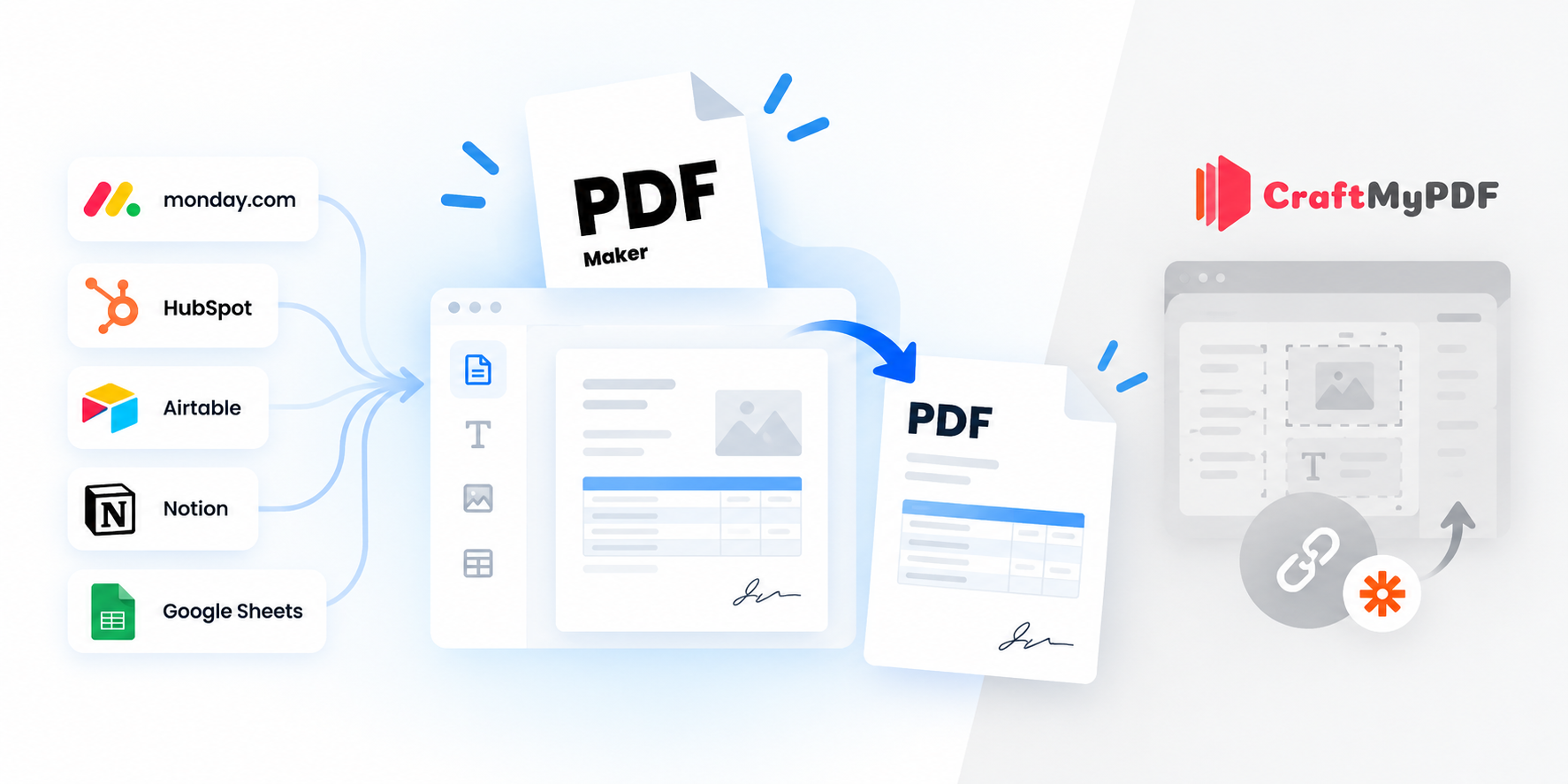
The PDF Maker is a top CraftMyPDF alternative in 2026, trusted by 5,000+ businesses generating 1M+ documents monthly. Unlike CraftMyPDF — which uses credit-based per-page pricing (1 credit per PDF, 0.5 credit per extra operation) with template limits per tier and requires Zapier or Make for monday.com, HubSpot, Airtable and Notion — The PDF Maker offers native integrations to all these tools, unlimited PDFs on paid plans from $29/month, and Google Docs & Word template support directly.
1M+
Documents generated
85%
Time saved on avg.
5,000+
Active businesses
4.8/5
Capterra rating
Test it before you switch
See it work — no credit counting
Pick your data source, choose a document type, and edit any field to see the PDF regenerate live. Every generation is free during your test — no credit deductions, no signup, no credit card.
1Where's your data?
2What are you making?
3Edit any field — see it update
Live preview • No signup • No credit card
Acme Corp
Data from Airtable
INVOICE
#INV-2026-042
Aug 13, 2026
Due: Net 30
Bill To
Acme Corp
123 Business Ave
Suite 400
New York, NY 10001
From
Your Business
456 Enterprise Way
San Francisco, CA 94102
Item
Qty
Rate
Amount
Professional Services
40
$85
$3,400
Software License
1
$1,200
$1,200
Setup & Configuration
1
$300
$300
Subtotal$4,900.00
Tax (0%)$0.00
Total$4,900.00
Generated by The PDF Maker · Data pulled from Airtable
Feature-by-feature
How does The PDF Maker compare to CraftMyPDF?
Every claim below is verifiable against CraftMyPDF's public pricing and integrations pages. Where CraftMyPDF wins, we say so.
You need pixel-perfect visual template design with charts, complex layouts, and a drag-and-drop editor built for designers
You need native barcodes across 95+ symbology types (QR, Code 128, EAN, UPC, DataMatrix, PDF417 and more)
You generate images (JPEG, PNG) alongside PDFs from the same templates
You need BYO Storage (AWS S3 or Cloudflare R2) for data residency or compliance requirements
You're building a Bubble.io or FlutterFlow app and want a native no-code PDF integration
You need SOC 2 Type II certified regional endpoints (US, EU, Singapore, Australia)
RECOMMENDED
Choose The PDF Maker if…
Most business teams switch when credit math or Zapier middleware becomes a headache.
Your data lives in monday.com, HubSpot, Airtable, or Notion — all native for us, all Zapier for CraftMyPDF
You want simple flat pricing instead of credit-based per-page math (PDF = 1 credit, extras = 0.5 credit each)
You want Google Docs or Word templates your business team can edit — no drag-and-drop editor to learn
You want truly unlimited PDFs instead of counting against 1,200 / 3,000 / 300,000 credit tiers
You want to test your workflow in the browser before creating an account
Real problems, real fixes
Why do teams switch from CraftMyPDF?
The four reasons that show up in every migration conversation.
"Credit math got confusing"
CraftMyPDF uses credit-based pricing: 1 credit per PDF, 0.5 credit per additional operation (watermark, merge, text overlay). Teams with mixed workflows end up doing spreadsheet math to predict usage, and hit unexpected overages when a workflow uses more operations than expected.
The PDF Maker uses simple flat pricing. $29/month, unlimited PDFs. No credits, no per-operation math, no spreadsheet forecasting.
"Our stack is monday and HubSpot"
CraftMyPDF's official integrations are Bubble and Zapier. Teams that live in monday.com, HubSpot, Airtable, or Notion have no native option — everything routes through Zapier, adding subscription cost, latency, and broken-Zap failure points.
The PDF Maker is a certified monday.com app with native HubSpot, Airtable, Notion, Google Sheets, Pipedrive, Zoho, and LeadConnector. Direct connectors, no middleware.
"Business team can't edit templates"
CraftMyPDF templates are built in their proprietary drag-and-drop editor or in HTML/CSS. Non-technical team members (Sales, Marketing, Ops) can't just tweak a proposal template — they need to open CraftMyPDF's editor or ask a developer.
The PDF Maker uses Google Docs and Word templates your business team already knows. Anyone can edit a proposal, invoice or contract template without training.
"We hit the credit cap mid-month"
CraftMyPDF's Lite plan is 1,200 credits/month. Standard is 3,000. If a batch generation job uses 400 PDFs with 3 operations each, that's 1,200 credits gone in one job. Growing teams hit the ceiling faster than expected.
Every paid PDF Maker plan is unlimited PDFs. Batch-generate 5,000 invoices in one job — no credit consumption, no mid-month upgrade pressure.
What teams say
Teams who left CraftMyPDF
★★★★★
"CraftMyPDF's editor was slick, but I couldn't hand it to our Sales team. They know Google Docs, not drag-and-drop tools. Moved to PDF Maker so they could edit proposals themselves."
JTJenna T.RevOps Lead, mid-market SaaS
★★★★★
"The credit math got messy. Our monthly invoices had watermarks + text overlays + merges, which meant each doc actually consumed 2.5 credits. We kept blowing past the Lite tier. Flat pricing is a relief."
BCBrendan C.Finance Ops, e-commerce brand
★★★★★
"We use monday.com for everything. CraftMyPDF meant setting up a Zapier link that broke every few weeks. PDF Maker as a certified monday app just works — no glue code."
ASAmina S.Project Delivery Lead, agency
Migration made simple
Bring your team back into Google Docs.
CraftMyPDF templates live in their editor. But rebuilding in familiar Google Docs is often faster than the original build — because Google Docs is a tool everyone on your team already knows. And once migrated, your Sales, Ops or Marketing team can maintain templates without you.
Book a free 30-min migration call. Our team helps rebuild your first templates.
The real math
How much would you save vs CraftMyPDF?
Slide to your actual monthly document count. See what each tool would cost.
500documents per month
CraftMyPDF
$29
per month · credit-based tier
BEST VALUE
The PDF Maker
$29
per month · unlimited PDFs
Beyond price parity at low volumes, you get unlimited PDFs, no per-page credit math, and native monday.com, HubSpot, Airtable & Notion — no Zapier subscription needed.
CraftMyPDF pricing reflects public 2026 tiers: Free 50 credits · PDF Basic $24 (annual, 3,000 credits/20 templates) · Lite $29 (1,200 credits/6 templates) · Standard $89 (3,000 credits) · Enterprise $179–$799. Credit cost may exceed 1 credit per PDF when using extra operations (watermarks, merges, text overlays at 0.5 credit each).
Try before you switch
Don't switch yet. Prove it first.
Take one document you currently generate with CraftMyPDF. Recreate it in The PDF Maker using a Google Doc your business team can maintain. No credits consumed, no signup. If it doesn't work for your workflow, you've lost nothing.
Frequently asked questions about CraftMyPDF alternatives
What is the best CraftMyPDF alternative in 2026?
The PDF Maker is a leading CraftMyPDF alternative in 2026, trusted by 5,000+ businesses generating over 1 million documents monthly. Unlike CraftMyPDF — which uses credit-based per-page pricing (1 credit per PDF, 0.5 credit per additional operation) and requires Zapier or Make for most business tool integrations — The PDF Maker offers native monday.com, HubSpot, Airtable, Notion and Google Sheets integrations plus unlimited PDFs on paid plans starting at $29/month.
How is pricing different from CraftMyPDF?
CraftMyPDF uses credit-based pricing: Free (50 PDFs/3 templates), Lite $29 (1,200 credits/6 templates), Standard $89 (3,000 credits), Enterprise $179–$799. Each PDF consumes 1 credit, and additional operations (watermarks, merges, text overlays) cost 0.5 credit each — so a workflow using multiple operations per doc consumes credits faster than expected. The PDF Maker uses simple flat pricing starting at $29/month with unlimited PDFs — no per-page counting, no partial-credit math.
Does it integrate natively with monday.com and Airtable?
Yes. The PDF Maker is a certified monday.com app with native Airtable, HubSpot, Notion, and Google Sheets integrations. CraftMyPDF officially integrates with Bubble and Zapier, so monday.com, Airtable, HubSpot and other business tools all require Zapier or Make as middleware — adding subscription cost and failure points.
Can I use my existing Word or Google Docs templates?
Yes. The PDF Maker supports Google Docs and Word (.docx) templates directly. CraftMyPDF requires templates to be built in their proprietary drag-and-drop editor (or coded in HTML/CSS), which means teams migrating from Word or Google Docs have to rebuild every template in CraftMyPDF's editor.
Does CraftMyPDF have a drag-and-drop editor?
Yes — CraftMyPDF's visual drag-and-drop template editor is genuinely one of the best in the market, with native support for charts, QR codes, barcodes (95+ symbology types), and HTML components for pixel-perfect control. If pixel-perfect visual template design is critical to your workflow, CraftMyPDF's editor may be a better fit. The PDF Maker focuses on familiar Google Docs and Word templates instead — better for teams where non-technical users need to edit templates directly.
Does The PDF Maker have a REST API like CraftMyPDF?
Yes. The PDF Maker offers a REST API on all paid plans for programmatic PDF generation, plus webhook triggers for automation. Combined with native no-code integrations (monday.com, HubSpot, Airtable, Notion), teams get both an API for developers and no-code triggers for business users — without a separate Zapier subscription.
What about barcodes, watermarks and template versioning?
CraftMyPDF has stronger native support for these production features — built-in barcode components (QR, Code 128, EAN, UPC, DataMatrix, PDF417 and 95+ others), native watermarks, full template versioning, and BYO Storage (AWS S3 / Cloudflare R2). If these features are critical to your workflow, CraftMyPDF may be a better fit. The PDF Maker offers watermarks and basic QR codes, but not the full barcode symbology library or BYO Storage.
What about image generation (JPEG/PNG)?
CraftMyPDF supports both PDF and image (JPEG/PNG) generation from the same templates — useful for teams that need banners, social assets, or product images alongside PDFs. The PDF Maker is PDF-focused. If image generation is a core need, CraftMyPDF's Standard plan handles both formats.
Is CraftMyPDF a good tool?
Yes — genuinely. CraftMyPDF is well-built with a strong drag-and-drop editor, SOC 2 Type II compliance, regional endpoints, and legitimate technical depth (barcodes, watermarks, BYO Storage). Teams typically migrate away when they need native business tool integrations (monday, HubSpot, Airtable) without Zapier, when credit-based pricing becomes hard to predict, or when non-technical team members need to edit templates.
Can I test it before signing up?
Yes — you already can on this page. Scroll to the interactive preview above, pick your data source (monday, HubSpot, Airtable, Notion, Sheets or API), choose a document type, and edit any field to see the PDF regenerate in real time. When you're ready for real data, sign up free — 20 PDFs, no credit card required.


 + 7 more