5,000+ businesses1M+ documents generated4.8/5 on CapterraFrom $29 — Formstack starts at $99
Trusted by 5,000+ businesses — from $29/mo
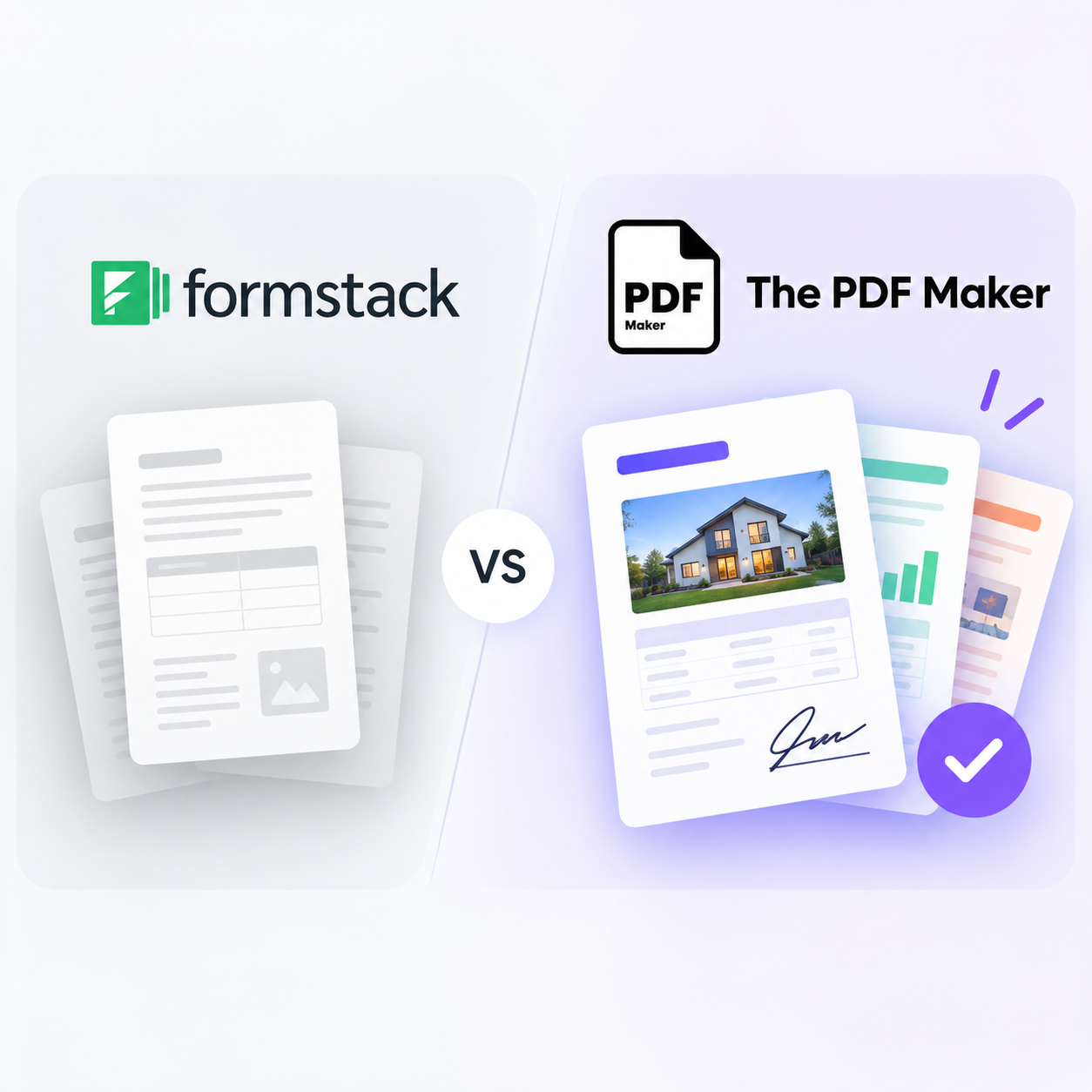
Formstack Documents Alternative — Unlimited PDFs & Native monday.com
Skip the $99/month base fee and 150-document merge cap. Generate PDFs from Airtable, monday.com, HubSpot, Notion and 10+ sources with native integrations. Google Docs & Word templates. Unlimited templates. Free 20 PDFs, no credit card.
No credit card20 free PDFsSetup under 5 minHIPAA & GDPR
Quick Answer
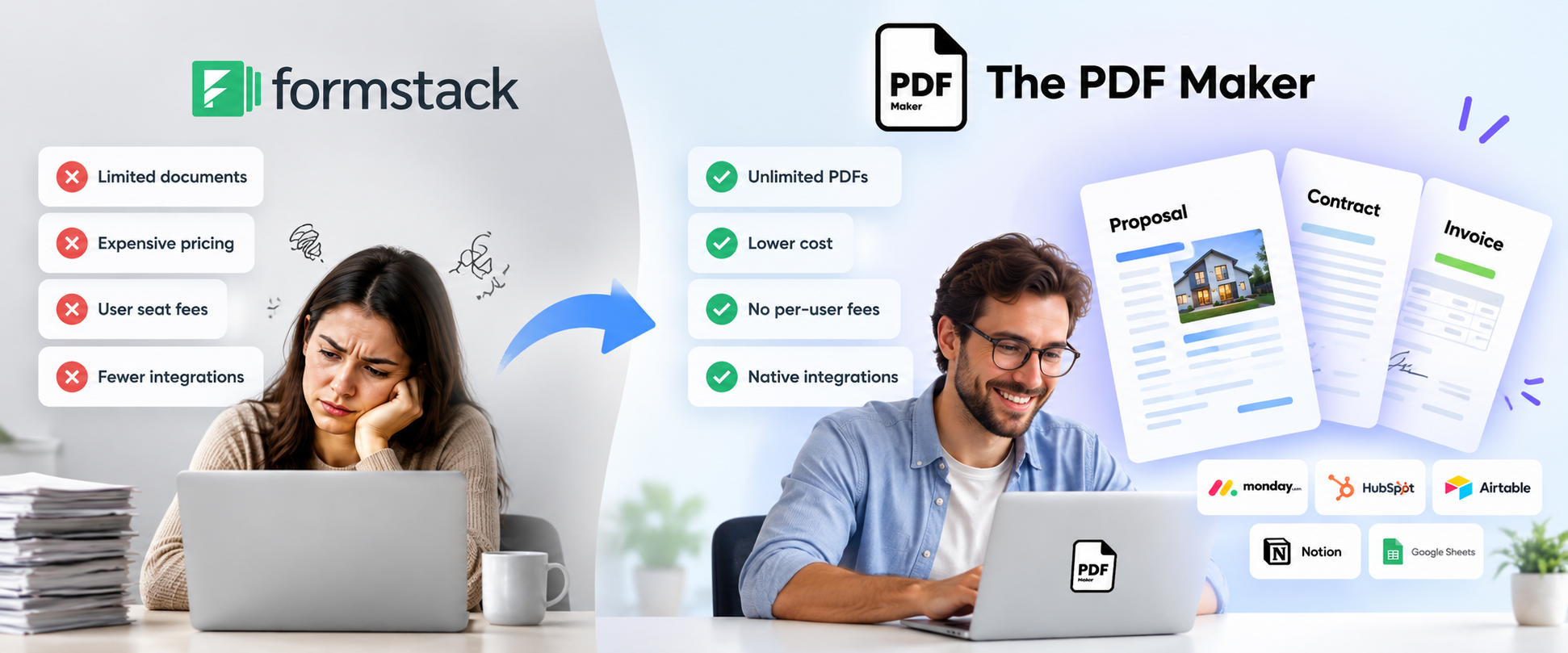
The PDF Maker is a top Formstack Documents alternative in 2026, trusted by 5,000+ businesses generating 1M+ documents monthly. Unlike Formstack Documents (formerly WebMerge) — which starts at $99/month with a 150-document merge cap and 10-template limit — The PDF Maker offers unlimited PDFs on every paid plan from $29/month, unlimited templates, native monday.com, HubSpot, Airtable, Notion and Google Sheets integrations, and a free forever plan (20 PDFs/month, no credit card required).
1M+
Documents generated
85%
Time saved on avg.
5,000+
Active businesses
4.8/5
Capterra rating
Test it before you switch
See it work — no $99 sign-up required
Choose your data source, pick a document type, and edit any field to see the PDF regenerate live. No signup. No credit card. No trial that expires into $99/month.
1Where's your data?
2What are you making?
3Edit any field — see it update
Live preview • No signup • No credit card
Acme Corp
Data from monday.com
INVOICE
#INV-2026-042
Aug 13, 2026
Due: Net 30
Bill To
Acme Corp
123 Business Ave
Suite 400
New York, NY 10001
From
Your Business
456 Enterprise Way
San Francisco, CA 94102
Item
Qty
Rate
Amount
Professional Services
40
$85
$3,400
Software License
1
$1,200
$1,200
Setup & Configuration
1
$300
$300
Subtotal$4,900.00
Tax (0%)$0.00
Total$4,900.00
Generated by The PDF Maker · Data pulled from monday.com
Feature-by-feature
How does The PDF Maker compare to Formstack Documents?
Every claim below is verifiable against Formstack Documents' public pricing and integrations pages. Where Formstack wins, we say so.
Your team lives in Salesforce — Formstack's Salesforce integration is genuinely stronger than ours
You already use Formstack Forms and Formstack Sign and want everything from one vendor
You need Excel, PowerPoint, or JPEG output in addition to PDF (Formstack supports all four output formats)
You're in a highly regulated industry (legal, insurance, financial services, healthcare) and specifically need Formstack's audit-trail and version-control features
Your budget is $99+ per month and document caps aren't a concern
RECOMMENDED
Choose The PDF Maker if…
Most growing teams switch when pricing or integration gaps become a problem.
You want to spend $29 instead of $99 as a starting point
You're hitting Formstack's 150-document merge cap or 10-template limit
You use monday.com, HubSpot, Notion, or Google Sheets — natively supported here, not by Formstack
You want Google Docs templates (Formstack is Word-only for template creation)
You want HIPAA compliance included rather than as a premium add-on
You're tired of buying Forms + Documents + Sign as three separate products — you want one simple plan
You want to try your real workflow in the browser before creating an account
Real problems, real fixes
Why do teams switch from Formstack Documents?
The four reasons that show up in every migration conversation.
"$99/month is too much for basic use"
Formstack Documents starts at $99/month for the Documents plan (formerly WebMerge). The full Formstack suite starts at $110/month. Small teams and solo operators generating modest volumes simply can't justify that base fee — especially without a free tier to test the actual product first.
The PDF Maker starts at $29/month with unlimited PDFs, plus a free forever plan (20 PDFs/month, no credit card). Same core features, one-third the entry price.
"We hit the 150-document cap"
Formstack Documents caps document merges at 150 per month on the base plan. Teams generating client contracts, invoices, or reports hit this ceiling within weeks. The upgrade path is steep — Teams ($220) or Pro ($440) — and each still has caps.
Every paid PDF Maker plan is unlimited. No cap. No overage fees. No plan-jumping mid-month.
"No monday.com or HubSpot integration"
Formstack Documents' heritage is Salesforce and Zoho. Teams that live in monday.com, HubSpot, or Notion have no native option — everything routes through Zapier, adding subscription cost, latency, and broken-Zap failure points.
The PDF Maker is a certified monday.com app with native HubSpot, Notion, Airtable, Google Sheets, Pipedrive, Zoho, and LeadConnector connectors. No Zapier layer needed.
"We wanted Google Docs templates"
Formstack Documents supports Word, PDF, PowerPoint and Excel templates — but not Google Docs. Teams that write proposals and contracts collaboratively in Google Docs have to convert or rebuild every template in Word first.
The PDF Maker supports Google Docs and Word templates natively. Bring what you already have — no reformatting, no rebuilding.
What teams say
Teams who left Formstack Documents
★★★★★
"Formstack was $99 a month, and we generate maybe 400 documents. Every extra doc pushed us toward the next tier. Switched to PDF Maker for $29 — unlimited, all our HubSpot and monday workflows native."
RCRachel C.Ops Manager, marketing agency
★★★★★
"We inherited a WebMerge account from a team member who left. Nobody remembered why we needed the whole $220 Formstack Teams plan when we just wanted to generate PDFs. PDF Maker felt honest."
SPSunil P.Finance Lead, mid-market SaaS
★★★★★
"Formstack forced us into buying Forms + Documents + Sign as three products. We just wanted document merges from Airtable. PDF Maker gave us exactly what we needed, one plan, native Airtable."
EBElena B.Founder, boutique consultancy
Migration from WebMerge / Formstack
Bring your Word templates. Skip the rebuild.
Formstack Documents (formerly WebMerge) uses Word (.docx) templates with tokenized placeholders — the same format The PDF Maker supports natively. Your existing templates transfer with minor tweaks. No proprietary format lock-in.
You don't need to migrate everything today. Just prove it works with one.
The real math
How much would you save vs Formstack Documents?
Slide to your actual monthly document count. See what each tool would cost.
500documents per month
Formstack Documents
$220
per month · capped at plan tier
BEST VALUE
The PDF Maker
$29
per month · unlimited PDFs
You'd save $2,292 per year — plus unlimited PDFs, native monday.com & HubSpot, and no need to buy Forms + Sign separately.
Formstack Documents pricing reflects public 2026 tiers: Documents plan $99/month (150 merges, 10 templates), full Formstack suite Starter $110 (150 merges, 2 users), Teams $220, Pro $440. HIPAA add-on and Salesforce premium features not included in base pricing.
Try before you migrate
Don't switch yet. Prove it first.
Take one document you currently generate with Formstack Documents. Recreate it in The PDF Maker with your real data — no signup, no $99 trial that converts to billing. If it doesn't work for your workflow, you've lost nothing.
Frequently asked questions about Formstack Documents alternatives
What is the best Formstack Documents alternative in 2026?
The PDF Maker is a leading Formstack Documents alternative in 2026, trusted by 5,000+ businesses generating over 1 million documents monthly. Unlike Formstack Documents (formerly WebMerge) — which starts at $99/month with a 150-document merge cap and 10-template limit — The PDF Maker offers unlimited PDFs on every paid plan starting at $29/month, unlimited templates, and native integrations with monday.com, HubSpot, Airtable, Notion, and Google Sheets.
Is there a cheaper alternative to Formstack Documents?
Yes. The PDF Maker starts at $29/month with unlimited PDFs and unlimited templates, compared to Formstack Documents' $99/month Documents plan (which caps at 150 merges and 10 templates) or the full Formstack suite starting at $110/month. Teams generating more than 150 documents monthly typically save 60–85% by switching. There's also a free forever plan for anyone generating under 20 PDFs/month.
Is The PDF Maker the same as WebMerge?
No — WebMerge was acquired by Formstack in 2018 and rebranded as Formstack Documents. The PDF Maker is a separate, independent document-automation platform built specifically for teams using modern SaaS tools like Airtable, monday.com, HubSpot and Notion. It offers similar core capabilities (Word/Google Docs templates, CRM integrations, PDF generation) with simpler pricing and native integrations to modern data sources.
Does it integrate with Salesforce like Formstack Documents?
Formstack Documents has stronger native Salesforce integration — that's their heritage. The PDF Maker supports Salesforce through Zapier and Make. If Salesforce is your primary CRM and you generate high volumes of Salesforce-triggered documents, Formstack Documents may fit better. The PDF Maker focuses its native connectors on modern SaaS: monday.com, HubSpot, Airtable, Notion, Google Sheets, Pipedrive, Zoho CRM, LeadConnector, and more.
Does The PDF Maker have a free plan? Formstack doesn't.
Yes. The PDF Maker offers a free forever plan with 20 PDFs per month and no credit card required. Formstack Documents offers only a free trial — you must sign up with billing information and it converts to $99/month after the trial period. This is one of the main reasons small teams and freelancers switch to The PDF Maker.
Can I migrate my Formstack Documents templates?
Yes. Formstack Documents supports Word (.docx) template uploads with placeholder syntax similar to The PDF Maker's approach. Existing Word templates can typically be migrated with minor placeholder adjustments. The PDF Maker also supports Google Docs templates, which Formstack Documents does not natively offer. We provide free migration support for teams switching from Formstack.
How does The PDF Maker compare to Formstack's 150-document cap?
Formstack Documents caps documents on every tier — 150 merges on the base $99 Documents plan, 150 on the $110 Starter suite plan, more on Teams ($220) and Pro ($440), all still capped. Teams generating high volumes either upgrade continuously or lose service mid-month. The PDF Maker offers unlimited PDFs on every paid plan — no cap, no overage fees, no plan-jumping.
Is HIPAA compliance included?
Yes — The PDF Maker is HIPAA and GDPR compliant on every plan, including the free tier, at no extra cost. Formstack requires a HIPAA add-on that appears only on higher or custom plans, adding to the total cost for healthcare, insurance, and other regulated-industry teams.
Do I have to buy Forms + Documents + Sign separately?
With Formstack, essentially yes — their modular pricing means Forms, Documents, and Sign are priced as separate products, and teams that only want document merges end up paying for capabilities they don't use, or facing upsells. The PDF Maker is a single, focused document-automation product — one simple plan, no upsells.
Can I test it with my data before signing up?
Yes — you already can on this page. Scroll to the interactive preview above, pick your data source (monday, HubSpot, Airtable, Notion, Sheets or API), choose a document type, and edit any field to see the PDF regenerate in real time. When you're ready for real data, sign up free — 20 PDFs, no credit card required.
Is Formstack Documents a good tool?
Yes — genuinely. Formstack Documents (formerly WebMerge) is a mature, established platform with strong Salesforce integration, robust conditional logic, and reliable enterprise features. Reviewers consistently rate it 4.7/5 on Capterra. Teams typically migrate away when the $99 base fee stops making sense for their volume, when they hit the 150-document cap, or when they adopt monday.com, HubSpot or Notion — none of which Formstack supports natively.



 + 7 more