REST API · JSON in, PDF out1M+ documents generated4.8/5 on CapterraNative monday, Airtable & HubSpot
REST API + no-code editing · from $29
PDFMonkey Alternative — REST API + Non-Developer Template Editing
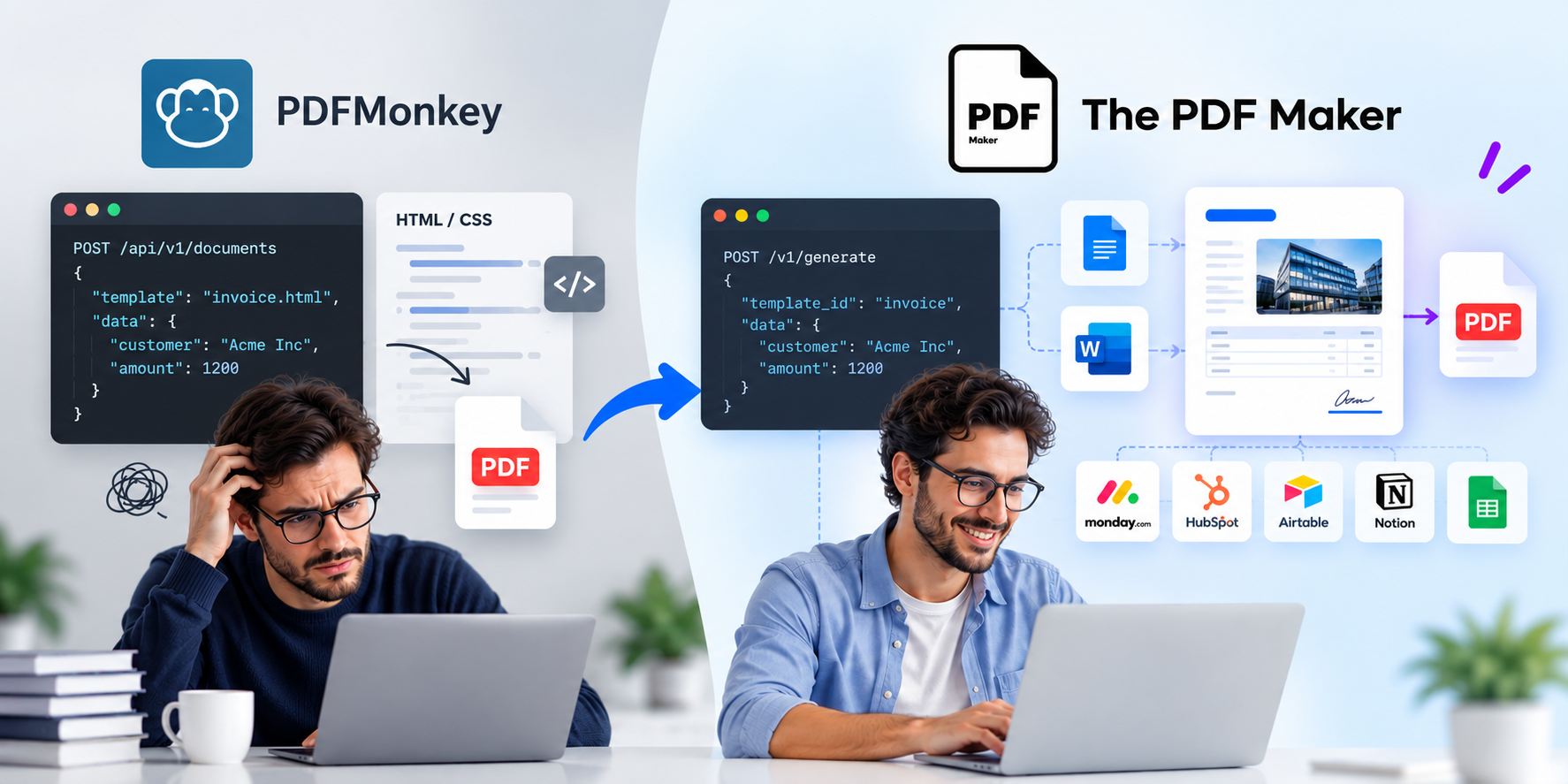
Keep the simple POST /generate JSON-to-PDF workflow. Add Google Docs & Word templates your business team can edit without touching HTML. Native monday.com, Airtable, HubSpot & Notion connectors. Unlimited PDFs on paid plans. No document caps.
No credit card20 free PDFsSetup under 5 minHIPAA & GDPR
Quick Answer
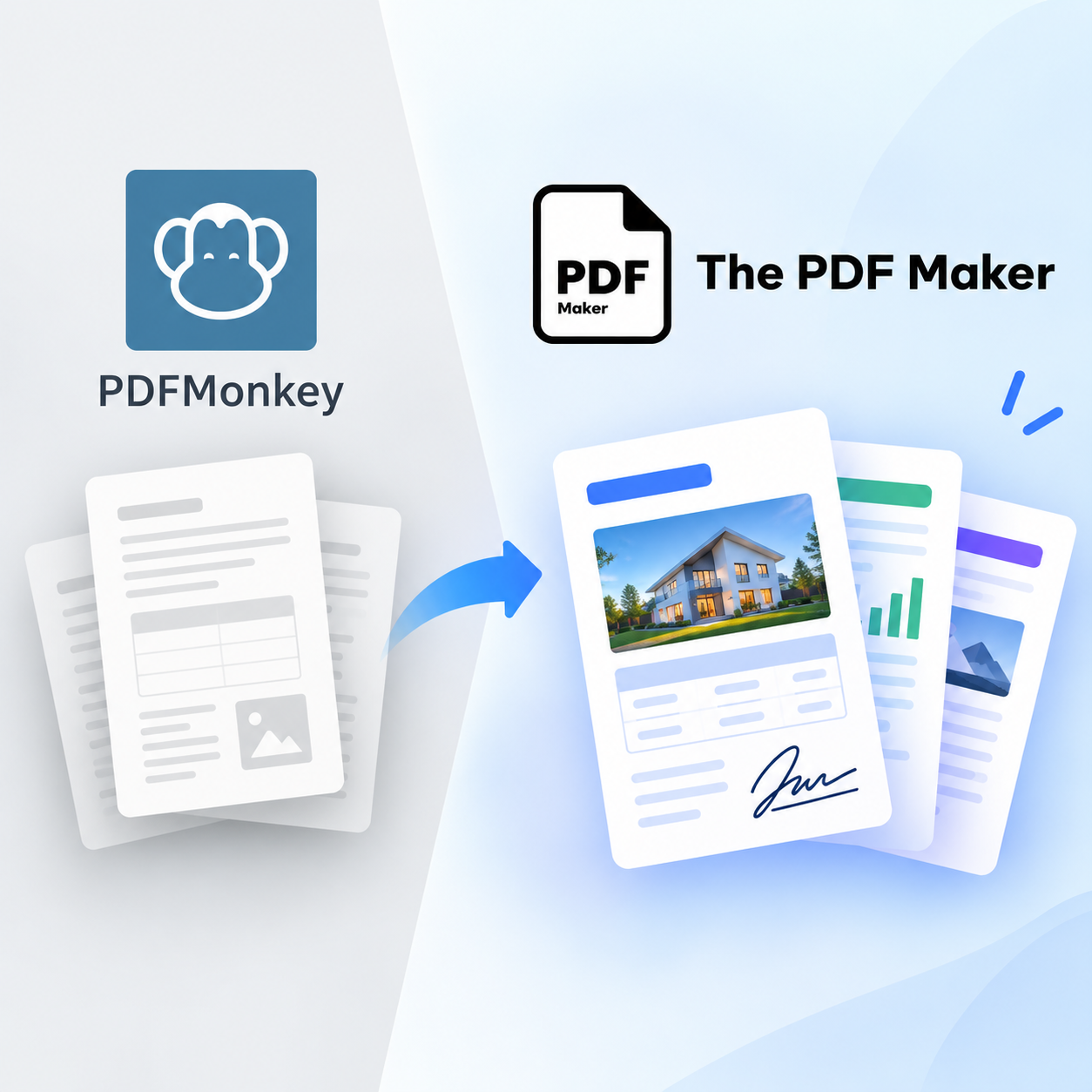
The PDF Maker is a top PDFMonkey alternative in 2026 for developer teams that need REST API generation AND non-technical template editing. Unlike PDFMonkey — which requires HTML/CSS + Liquid templates only (locking non-technical teammates out) and caps documents on every plan (20/300/3,000/5,000/60,000) — The PDF Maker offers a simple JSON-to-PDF REST API plus Google Docs and Word templates your business team can edit, native monday.com/HubSpot/Airtable/Notion integrations, and unlimited PDFs on paid plans from $29/month. Ideal for Ruby, Node.js, Python and PHP backends that want to hand template ownership to Ops or Sales.
1M+
Documents generated
85%
Time saved on avg.
5,000+
Active businesses
4.8/5
Capterra rating
Test it before you switch
See it work — no HTML/CSS required
Pick your data source (or an API/webhook trigger), choose a document type, and edit any field to see the PDF regenerate live. Same speed as a POST to /generate — no signup, no credit card.
1Where's your data?
2What are you making?
3Edit any field — see it update
Live preview • No signup • No credit card
Acme Corp
Data from Airtable
INVOICE
#INV-2026-042
Aug 13, 2026
Due: Net 30
Bill To
Acme Corp
123 Business Ave
Suite 400
New York, NY 10001
From
Your Business
456 Enterprise Way
San Francisco, CA 94102
Item
Qty
Rate
Amount
Professional Services
40
$85
$3,400
Software License
1
$1,200
$1,200
Setup & Configuration
1
$300
$300
Subtotal$4,900.00
Tax (0%)$0.00
Total$4,900.00
Generated by The PDF Maker · Data pulled from Airtable
Feature-by-feature
How does The PDF Maker compare to PDFMonkey?
Every claim below is verifiable against PDFMonkey's public pricing and docs. Where PDFMonkey wins, we say so.
Your entire template workflow is HTML + CSS + Liquid and non-technical editing isn't a requirement
You need Tailwind CSS, Google Fonts, Chart.js or external JavaScript libraries rendered live in templates — PDFMonkey's Chrome-based engine handles this well
You're building data-heavy dashboards or reports with dynamic charts that need browser-level fidelity
You're a Ruby on Rails developer — PDFMonkey's Ruby gem and Rails docs are polished
You're a solo dev or 1–2 person team and just want a lean HTML→PDF API
Your monthly volume is under 300 documents and stable — the €19 Starter tier will genuinely fit
RECOMMENDED
Choose The PDF Maker if…
Most dev teams switch when they need to hand template ownership to non-technical teammates.
You want the same simple JSON-to-PDF REST API AND templates your Sales, Ops or Marketing team can edit in Google Docs
You use monday.com, HubSpot, Airtable, or Notion and don't want to build API glue code for each
You need unlimited PDFs instead of counting against 300 / 3,000 / 60,000 monthly caps
You need Word (.docx) output, not just PDF
You need HIPAA compliance and PDFMonkey's compliance certs aren't available for your company size
You want to control file retention — not lose PDFs after PDFMonkey's 1-day to 1-year retention window
USD flat pricing works better for you than EUR volume tiers
Real problems, real fixes
Why do teams switch from PDFMonkey?
The four reasons that come up in every developer-team migration conversation.
"Sales can't edit templates without us"
PDFMonkey templates are HTML + CSS + Liquid. Every time Sales wants to tweak the proposal wording, they file a ticket for the dev team. Every time Marketing wants to swap a logo, another ticket. Templates become a bottleneck.
The PDF Maker uses Google Docs and Word templates. Same API on the backend — but Sales, Ops, or Marketing can edit template content directly in Google Docs, without touching your code.
"We hit the doc cap mid-month"
PDFMonkey caps every plan: Starter €19 (300 docs), Pro €49 (3,000), Pro+ €99 (5,000), Premium €299 (60,000). Growing SaaS backends generating user reports, invoices or exports hit these ceilings faster than expected, forcing Boost Pack purchases or tier upgrades.
Every paid PDF Maker plan is unlimited PDFs. Batch-generate 5,000 user reports in one job — no cap, no Boost Pack, no upgrade required.
"We wrote glue code for every integration"
PDFMonkey is API-only, so every business tool connection requires custom code — Airtable webhooks calling your backend, monday.com Automations calling your backend, HubSpot workflows calling your backend. Each glue point is code to maintain.
The PDF Maker is native to monday.com (certified app), Airtable, HubSpot, Notion, Google Sheets, Pipedrive, Zoho and more. No glue code — trigger PDFs from any of these directly.
"Files got deleted before we downloaded them"
PDFMonkey deletes generated files after 1 day (Starter), up to 1 year on Premium. Teams with async workflows or delayed downloads sometimes lose files. And Chrome-based rendering means dependencies like external images or fonts have to be publicly accessible.
The PDF Maker lets you configure retention or push generated PDFs directly to your own storage (Google Drive, Dropbox, S3 via Zapier/Make). Files live where you control them.
What developer teams say
Teams who left PDFMonkey
★★★★★
"PDFMonkey was fine as long as I was the only one touching templates. The moment Sales wanted to update proposal wording without me — every single time — it became a bottleneck. Google Docs templates fixed that instantly."
JRJordan R.Backend Engineer, B2B SaaS startup
★★★★★
"We hit the Pro tier cap (3,000 docs) every month with our user report exports. PDFMonkey's Pro+ was €99, Premium jumped to €299. PDF Maker at $29 unlimited was the obvious call. Same POST-JSON-get-PDF workflow, no cap."
CSChinedu S.Tech Lead, Rails consultancy
★★★★★
"I'd written custom webhooks for every business tool that needed to trigger a PDF from PDFMonkey. When we adopted monday.com and Airtable, native integrations meant deleting a bunch of glue code. Fewer moving parts, fewer 3am alerts."
MVMaya V.Platform Engineer, Series A startup
Migration made simple
Point your existing API calls here.
The PDF Maker uses the same JSON-in-PDF-out pattern PDFMonkey does. Swap your base URL, update your API key, and your existing generation logic just works. Templates rebuild in familiar Google Docs — usually faster than the original HTML/CSS build.
Book a free 30-min migration call. Our team helps rebuild your first templates.
The real math
How much would you save vs PDFMonkey?
Slide to your actual monthly document count. See what each tool would cost.
500documents per month
PDFMonkey
$53
per month · capped at plan tier
BEST VALUE
The PDF Maker
$29
per month · unlimited PDFs
Beyond price at low volume, you get unlimited PDFs, non-developer template editing via Google Docs, native monday.com + Airtable + HubSpot + Notion, and no file-retention deletion window.
PDFMonkey pricing reflects public 2026 tiers converted from EUR at ~1.08 USD/EUR: Free €0 (20 docs) · Starter €19 (~$21, 300 docs) · Pro €49 (~$53, 3,000 docs) · Pro+ €99 (~$107, 5,000 docs) · Premium €299 (~$323, 60,000 docs). Boost Pack costs for mid-month overruns not included.
Try before you migrate
Don't switch yet. Prove it first.
Point a test API call to The PDF Maker with your existing JSON payload. Compare rendering, timing, and API ergonomics against your current PDFMonkey setup. Free 20 PDFs — no signup, no credit card. If it doesn't work for your use case, you've lost nothing.
Frequently asked questions about PDFMonkey alternatives
What is the best PDFMonkey alternative in 2026?
The PDF Maker is a top PDFMonkey alternative in 2026 for developer teams that need REST API generation AND non-technical template editing. Unlike PDFMonkey — which requires HTML/CSS + Liquid templates only (locking non-technical teammates out) and caps documents on every plan (20/300/3,000/5,000/60,000) — The PDF Maker offers a simple JSON-to-PDF REST API plus Google Docs and Word templates your business team can edit, native monday.com/HubSpot/Airtable/Notion integrations, and unlimited PDFs on paid plans starting at $29/month.
Does The PDF Maker have a REST API like PDFMonkey?
Yes. Send JSON data to a single POST endpoint, receive PDF back — the same simple developer experience PDFMonkey offers. Full webhook support for async workflows, HTTPS with API key authentication, template management via API or dashboard. Works cleanly with Ruby on Rails, Node.js / Express, Python / Django / FastAPI, PHP / Laravel, Go, and any language that speaks HTTP.
How is pricing different from PDFMonkey?
PDFMonkey (2026): Free €0 (20 docs), Starter €19 (300 docs), Pro €49 (3,000 docs), Pro+ €99 (5,000 docs), Premium €299 (60,000 docs). Every tier caps monthly documents, forcing Boost Pack purchases or tier upgrades when you hit the limit. The PDF Maker uses simple USD flat pricing starting at $29/month with unlimited PDFs on paid plans — no document caps, no EUR-to-USD conversion, no mid-month Boost Pack purchases.
Do I have to use HTML/CSS templates?
No — this is the key difference. PDFMonkey requires HTML/CSS + Liquid template syntax, which locks non-technical teammates out (every template change requires a developer). The PDF Maker supports Google Docs and Word (.docx) templates alongside the REST API — so your developers can call the API, and your Sales, Ops, or Marketing team can edit the actual template content in Google Docs without touching code.
Is there a PDF generation API for Ruby on Rails?
Yes. The PDF Maker's REST API works cleanly with Ruby on Rails via standard HTTP libraries (Faraday, HTTParty, Net::HTTP). Send a POST request with your JSON payload, receive PDF back. No Rails-specific gem is required — the API is idiomatic HTTP. PDFMonkey has a dedicated Ruby gem, which some Rails teams prefer; the tradeoff is you're locked to PDFMonkey's HTML/CSS/Liquid templating model.
Is there a PDF API for Node.js with unlimited documents?
Yes. The PDF Maker is a strong pick for Node.js and Express backends that need unlimited PDF generation. Use axios, fetch, or any HTTP client to POST JSON payloads and receive PDFs. Every paid plan is unlimited — no monthly cap to plan around. PDFMonkey caps at 300 (Starter), 3,000 (Pro), 5,000 (Pro+), or 60,000 (Premium) documents per month.
What about Tailwind, Chart.js, external assets?
PDFMonkey's Chrome-based rendering supports Tailwind CSS, external Google Fonts, Chart.js and other JavaScript libraries — but only on paid plans (the free tier restricts external assets, images, fonts, CSS, and JS). If you specifically need to load external JavaScript libraries into templates for dynamic charts or interactive components, PDFMonkey remains a strong choice. The PDF Maker uses template placeholders and structured data rather than live JavaScript rendering — simpler for most business documents, less flexible for chart-heavy dashboards.
Does it integrate natively with monday.com, HubSpot and Airtable?
Yes. The PDF Maker is a certified monday.com app with native Airtable, HubSpot, Notion, Google Sheets, Pipedrive, and Zoho CRM integrations. PDFMonkey has no native integrations — everything is API-based, which means developers need to build glue code or Zapier flows for every business tool connection. For teams whose data lives in these tools, native connectors save engineering hours and eliminate maintenance overhead.
What about document retention limits?
PDFMonkey retains files based on plan tier — 1 day on Starter, up to 1 year on Premium — then deletes them. Teams with async workflows or delayed downloads sometimes lose files. The PDF Maker doesn't impose the same retention window, and integrations can push generated PDFs directly to your own cloud storage (Google Drive, Dropbox, Amazon S3 via Zapier/Make) so files live where you control them.
Is PDFMonkey a good tool?
Yes — genuinely. PDFMonkey is a well-built, developer-first PDF generation API. Chrome-based rendering means browser-level fidelity, HTML/CSS/Liquid templates give developers full control, and the pricing is transparent. For solo developers, side projects, and Rails-heavy small teams that want a lean HTML→PDF API and don't need non-technical template editing, PDFMonkey is a solid choice. Teams typically migrate when they need to hand template ownership to Sales/Ops, when they hit document caps, or when they need native business tool integrations without writing glue code.
Can I test it before signing up?
Yes — you already can on this page. Scroll to the interactive preview above, pick your data source or select "API / Webhook" to simulate a JSON payload trigger, choose a document type, and edit any field to see the PDF regenerate in real time. When you're ready for real integration, sign up free — 20 PDFs, no credit card required, full API access on paid plans starting at $29/month.